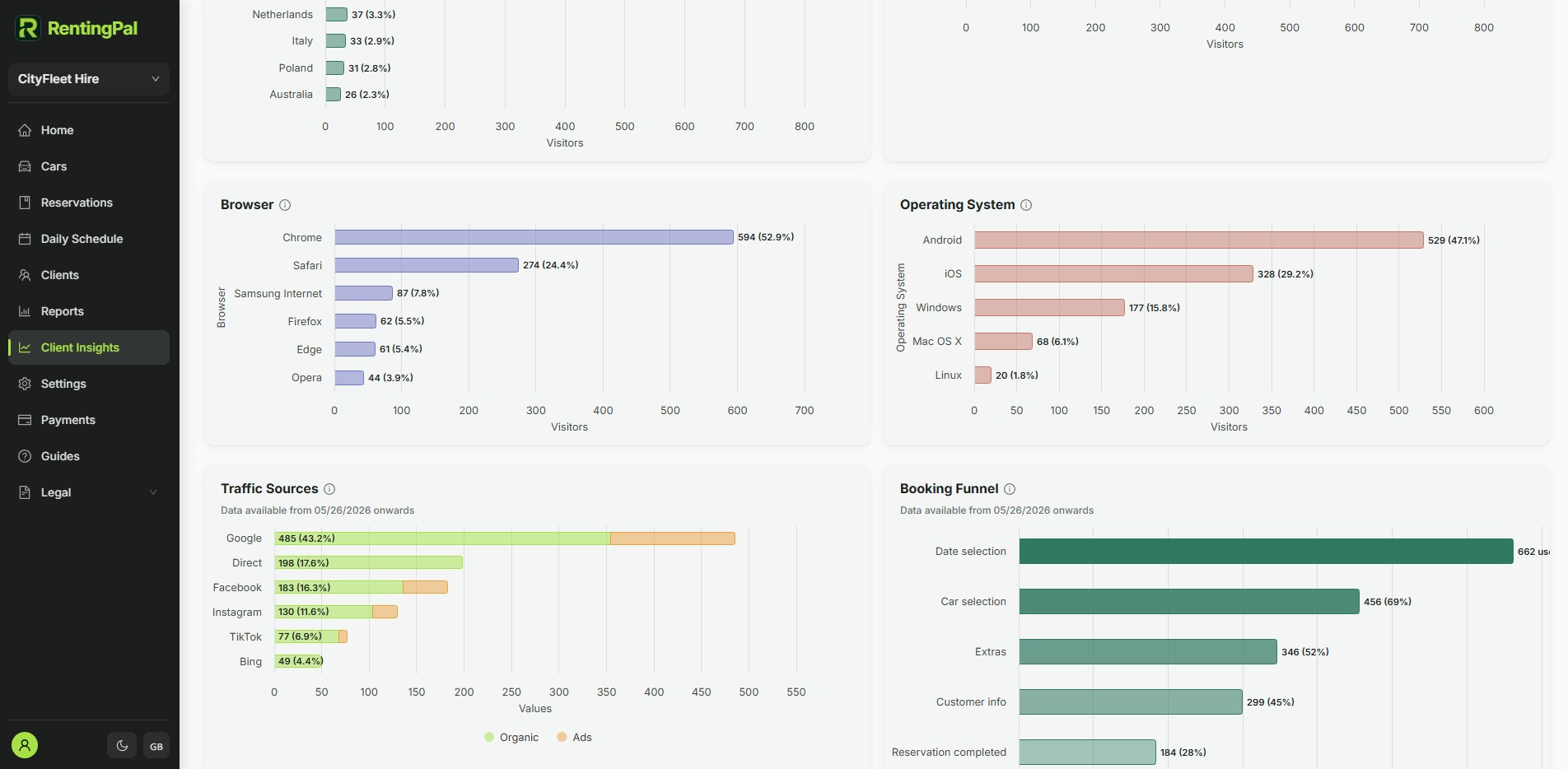
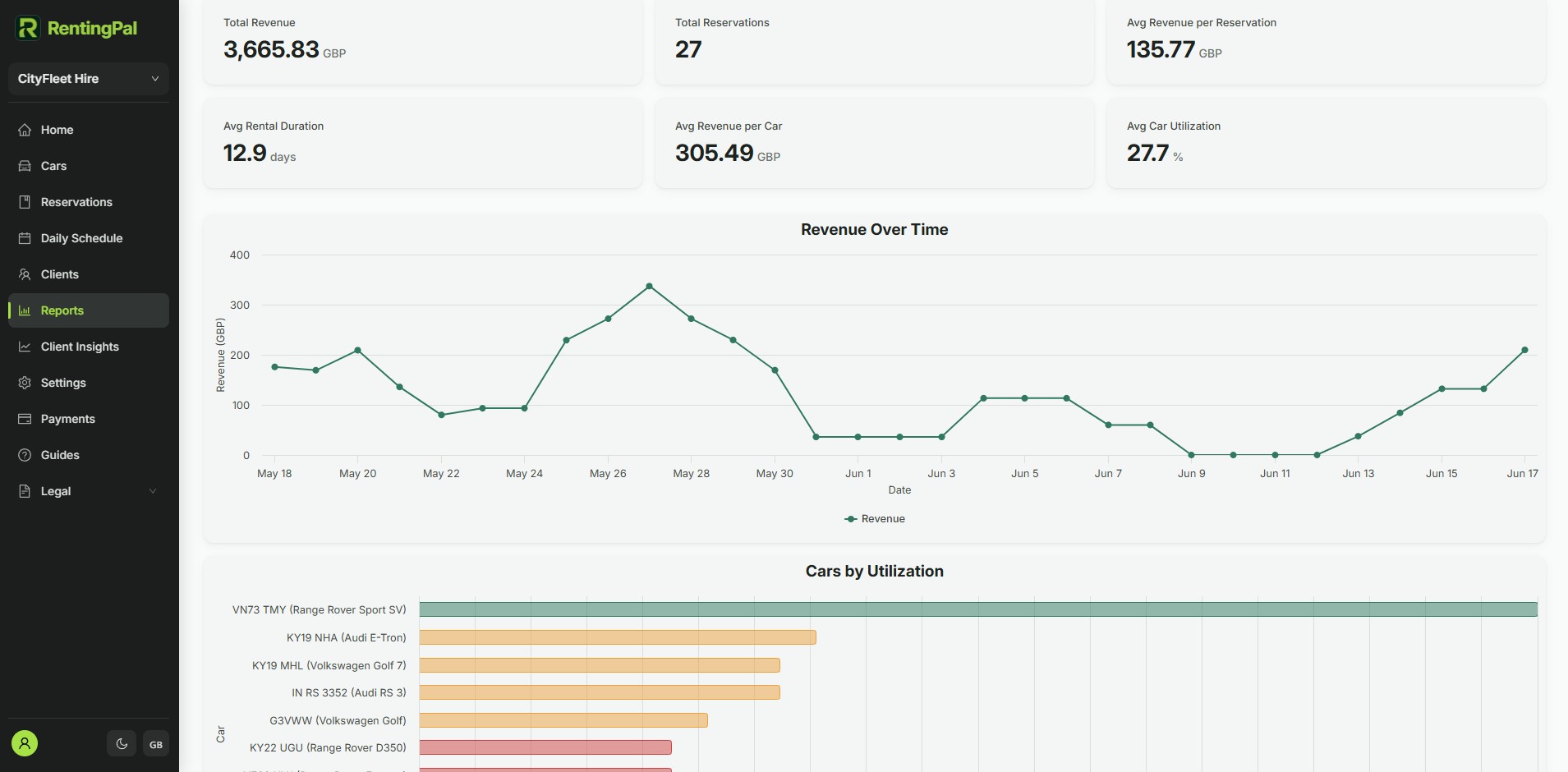
A fleet spreadsheet cannot run daily operations
Vehicle data changes every day. A spreadsheet can list cars, but it does not reliably connect availability, reservations, documents, maintenance and customer history.
car rental fleet management software
RentingPal gives each car an operational record: details, status, documents, reservations, maintenance blocks and history stay connected to the vehicle.
This page is for operators who have outgrown a vehicle spreadsheet. The searcher usually wants to know which cars are available, rented, inactive, damaged, missing documents or due for work.
Vehicle data changes every day. A spreadsheet can list cars, but it does not reliably connect availability, reservations, documents, maintenance and customer history.
RentingPal gives each car an operational record: details, status, documents, reservations, maintenance blocks and history stay connected to the vehicle.
How it works
Create a record for each vehicle with its rental details
Connect reservations, documents, inactive periods and maintenance to the car
Use fleet views to understand what is available, rented or blocked
Review the vehicle history when planning repairs, renewals or future bookings
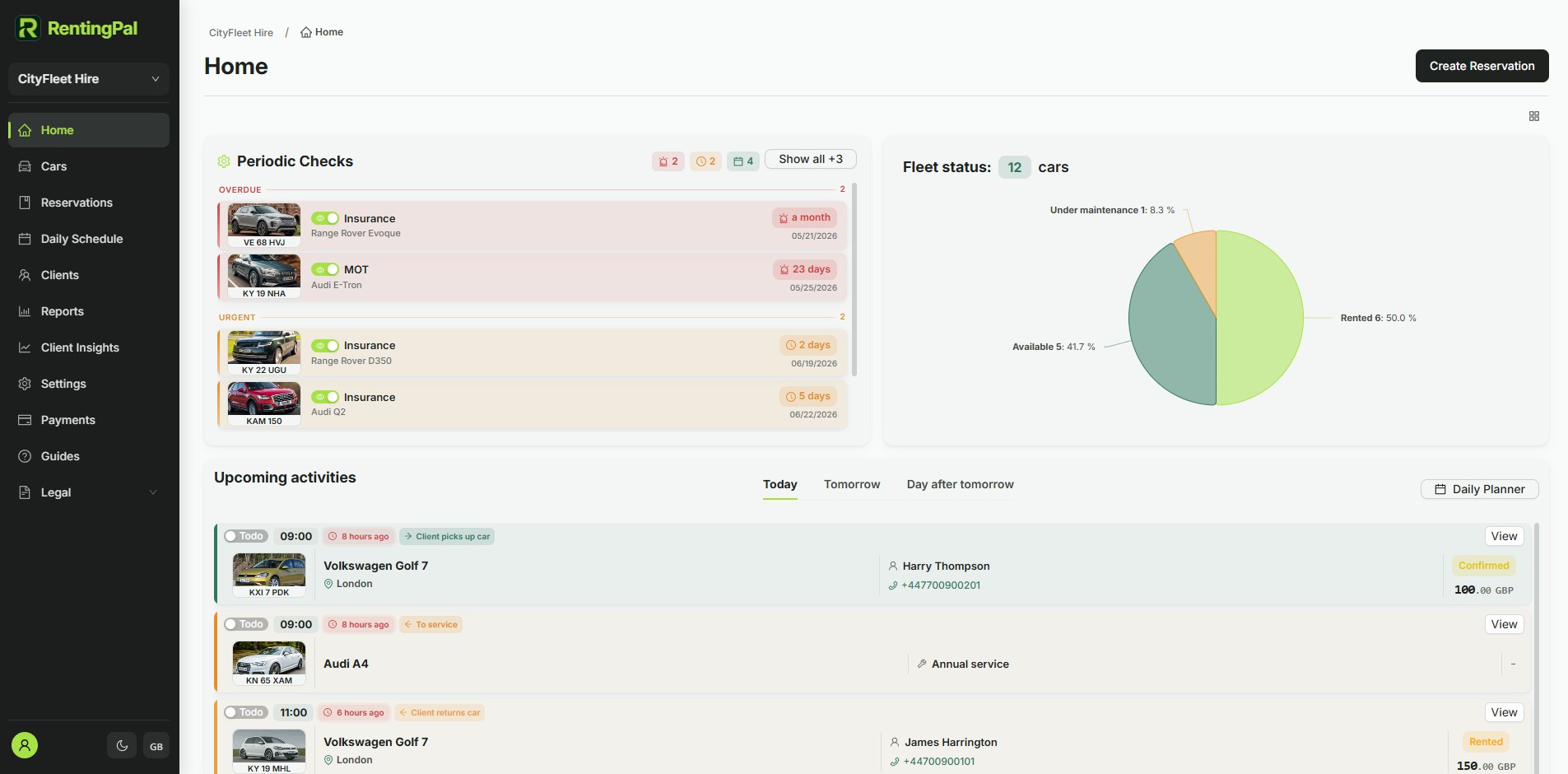
Connected records
The value is not the feature in isolation. It is how the record connects to the rest of the rental workflow.
The fleet dashboard, car records and planning tools are core RentingPal workflows.
Yes, if the spreadsheet is being used to track operational fleet status, reservations, documents and maintenance context.
Yes. The booking workflow depends on the same vehicle availability and reservation data your team manages internally.
No. The value often appears earlier, when even a small fleet becomes hard to coordinate across staff, documents and bookings.
RentingPal product tour
Bring bookings, vehicles, clients, contracts, invoices and reporting into one rental workspace your team can actually use every day.
Rental businesses already run on RentingPal