car rental booking system

Online Car Rental Booking System

RentingPal gives your website a booking widget connected to the same reservation and fleet data your team uses internally, so online requests become part of the operational workflow instead of another inbox to monitor.

This page is for rental operators who already have demand coming from a website, Google Business Profile, ads or repeat customers, but still confirm bookings manually. The goal is not a generic form builder; it is a live booking flow tied to fleet availability.

The problem

Website enquiries are not the same as bookings

Many rental websites collect leads, then the team still checks a spreadsheet, calls the customer back and manually creates the reservation. That delay creates double-booking risk and loses high-intent customers.

The RentingPal way

Let customers start from real availability

RentingPal gives your website a booking widget connected to the same reservation and fleet data your team uses internally, so online requests become part of the operational workflow instead of another inbox to monitor.

What this replaces
  • Generic contact forms that ask customers to wait for a callback
  • Manual availability checks across spreadsheets or chat messages
  • Copy-pasting website enquiries into a reservation system
  • Separate booking plugins that do not know your real fleet status
Best fit
  • Rental companies with an existing website but no proper booking flow
  • Teams receiving bookings through WhatsApp, phone and email
  • Operators who want online booking without rebuilding their website
  • Small and mid-sized fleets that need one shared availability calendar
Included in RentingPal
  • Embeddable booking widget for your rental website
  • Vehicle availability shown from RentingPal data
  • Booking requests that land in the same workspace as manual reservations
  • Customer and vehicle context ready for follow-up
  • A path from booking to contract, invoice and handover

How it works

From website visitor to managed reservation

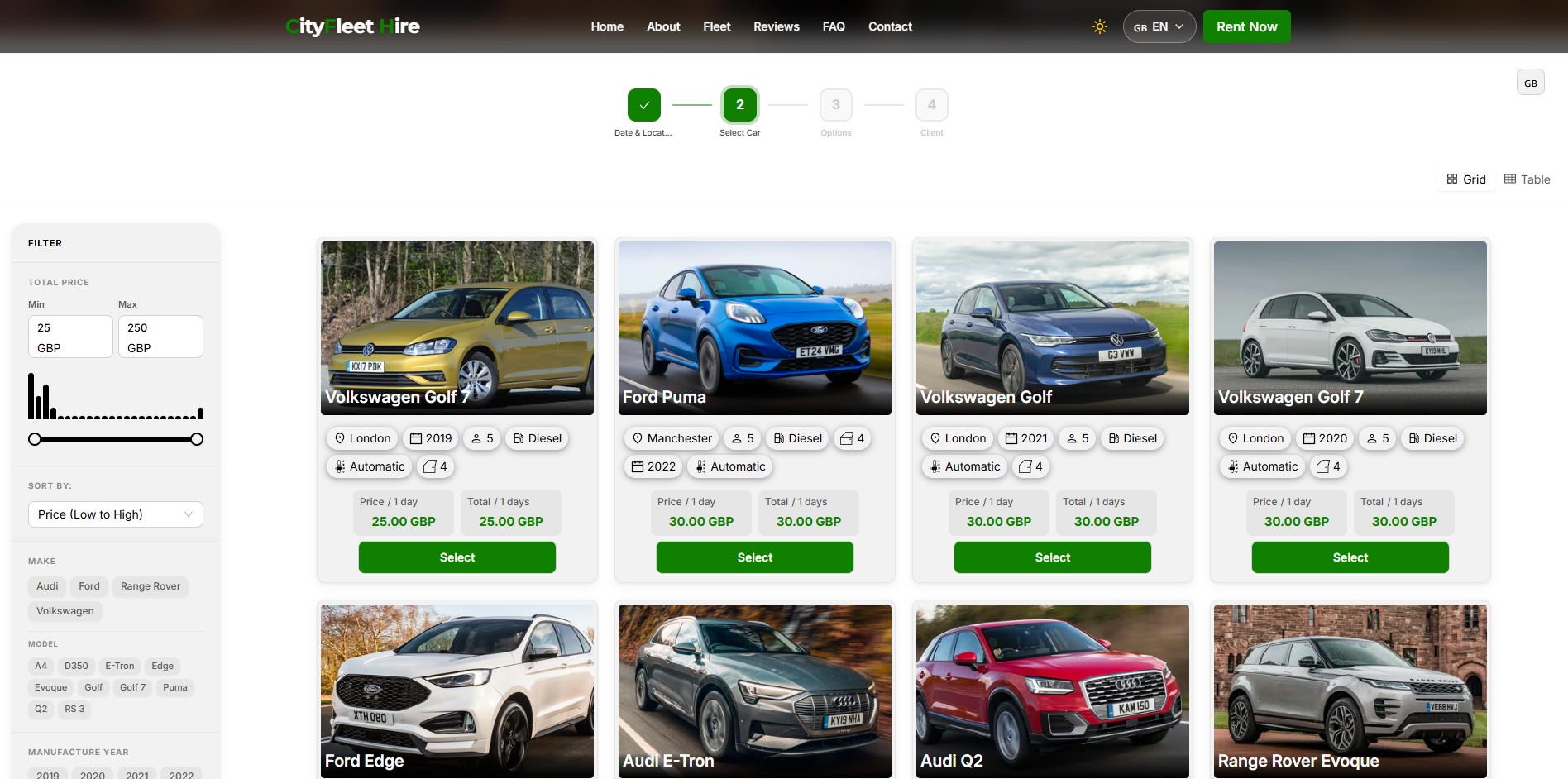
  1. Customers choose dates and see vehicles available for that period

  2. The booking widget captures the request directly from your website

  3. Your team reviews the reservation inside RentingPal alongside other bookings

  4. The vehicle, customer, contract and invoice workflow continues from the same record

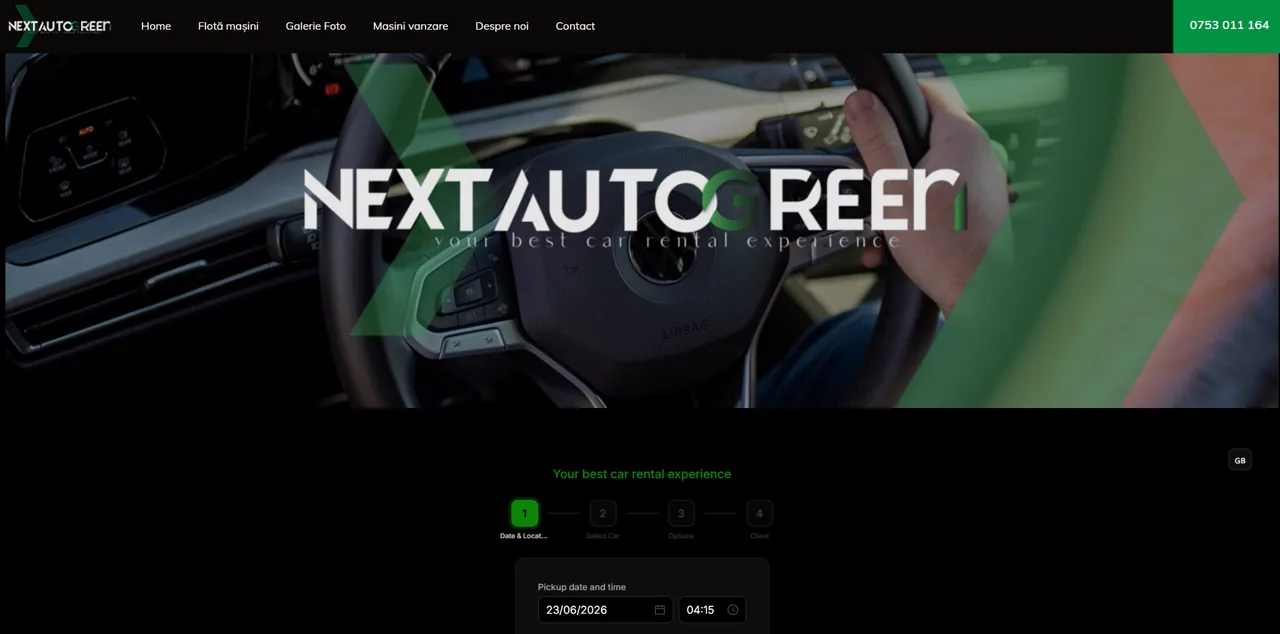
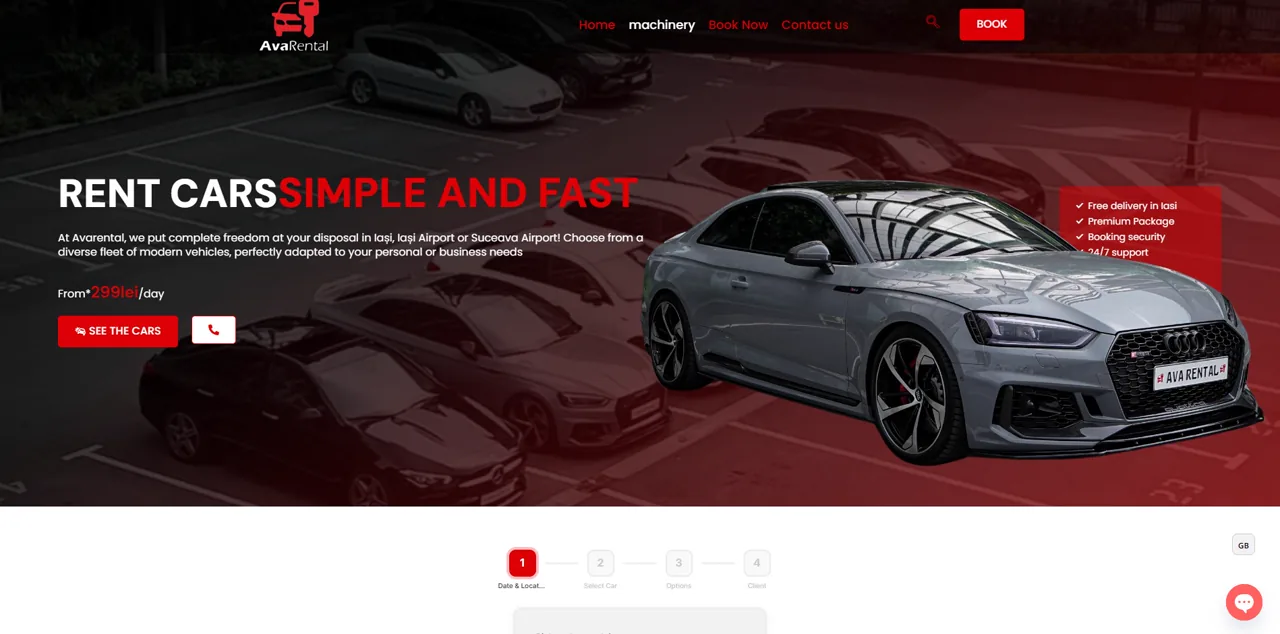
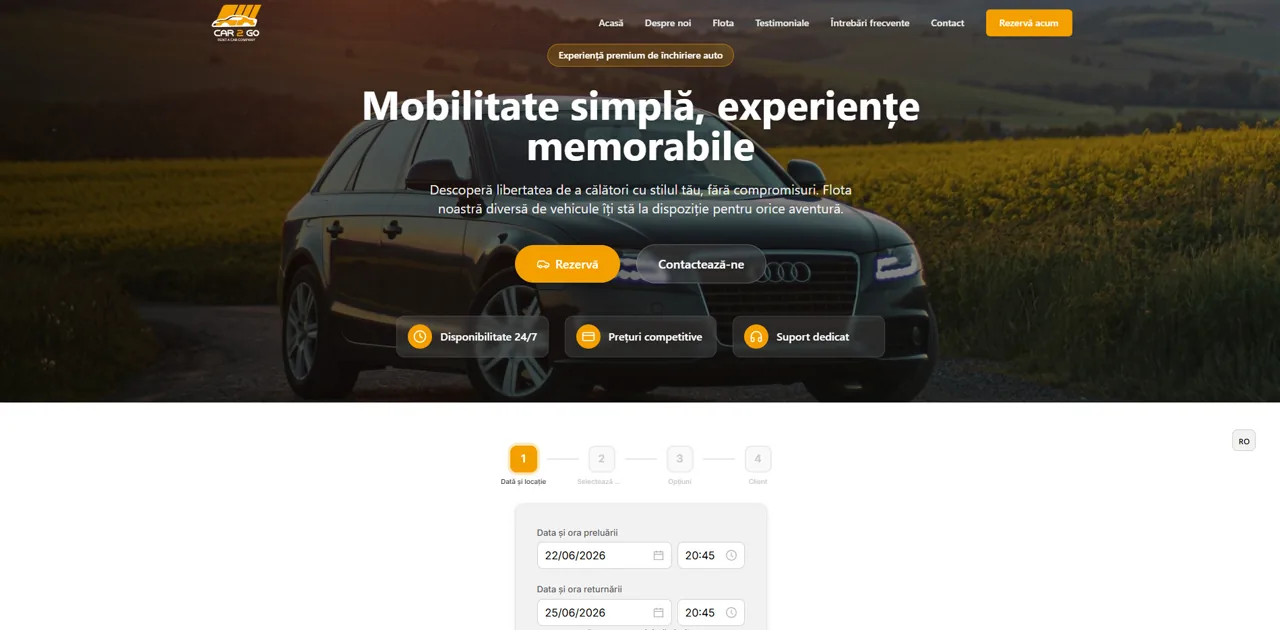
RentingPal online car rental booking widget showing available rental cars

Connected records

Where this fits in the rental operation

The value is not the feature in isolation. It is how the record connects to the rest of the rental workflow.

  • Vehicle availability
  • Customer profile
  • Reservation calendar
  • Rental agreement
  • Invoice workflow

The booking widget is already part of RentingPal and can be embedded into almost any website with one script.

Common questions

Do I need to rebuild my website to use RentingPal booking?

No. The booking widget is designed to be embedded into an existing website, including common website builders and custom sites.

Is this just a contact form?

No. The intent is to connect customer booking flow with fleet availability and reservation management, not simply collect messages.

Can staff still create reservations manually?

Yes. Online booking complements manual reservations, so phone, walk-in and website bookings can be managed in the same system.

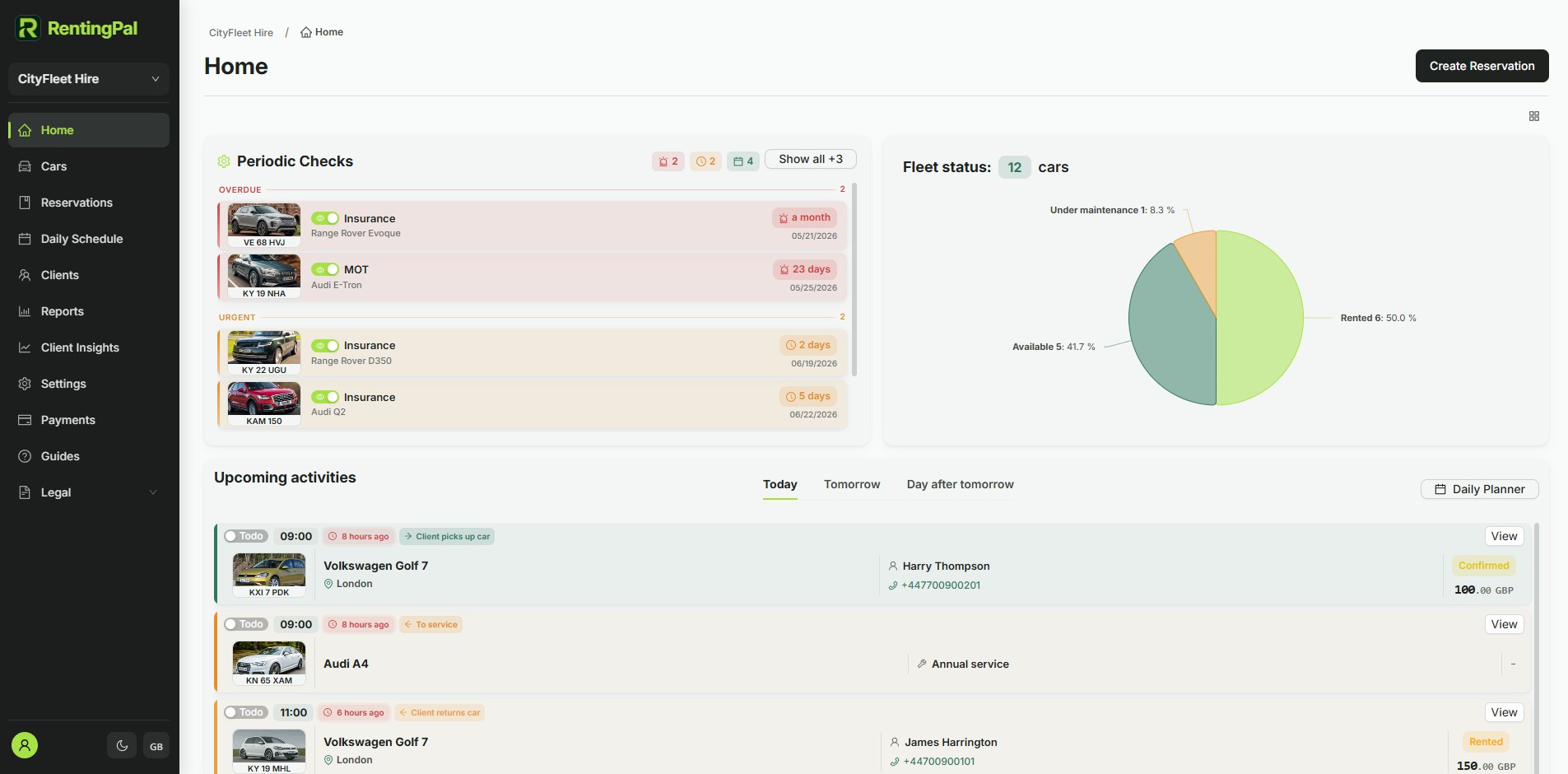
RentingPal product tour

Add online booking to your rental website

Bring bookings, vehicles, clients, contracts, invoices and reporting into one rental workspace your team can actually use every day.

  • Openly published pricing: €2 per car / month (€20 minimum), no quote needed
  • 30-day free trial with no credit card required
  • Built-in 24/7 online booking plus an embeddable widget for any website
  • Available in any language, not limited to a fixed list
  • Hands-on help migrating your existing data across
  • Direct support from the people who build the product

Rental businesses already run on RentingPal

Book a demo
Chat on WhatsApp